Published: 15 September 2026 | Last updated: 15 September 2026
The Russia eVisa is a unified single-entry permit for citizens of 64 eligible countries, valid for 120 days with a 30-day stay. The entire application is completed online via the MFA portal at, with no embassy visit or invitation letter required.
This guide walks through every step of the evisa russia application process from preparation to border entry. You will learn how to prepare your documents, fill in the form, pay the non-refundable fee, and track your status before downloading the grant notification.
UK passport holders are not eligible for the unified e-visa and must obtain a regular visa instead. However, dual nationals may qualify using an eligible passport. We also cover post-arrival rules like migration registration and medical insurance requirements.
What Is the Russia eVisa and Who Can Apply?
eVisa vs Traditional Visa: Key Differences
The eVisa eliminates the need for an in-person appointment. The Russia eVisa permits single entry only. No invitation letter is needed for the eVisa, but traditional visas typically require one.
Dual Nationality & Edge Cases
UK passport holders are ineligible for the Russia eVisa and must obtain a regular visa through a Russian embassy or consulate. However, dual nationals may apply using an eligible passport. For example, a British-Italian traveller using their Italian EU passport qualifies.
When to Apply: Key Deadlines
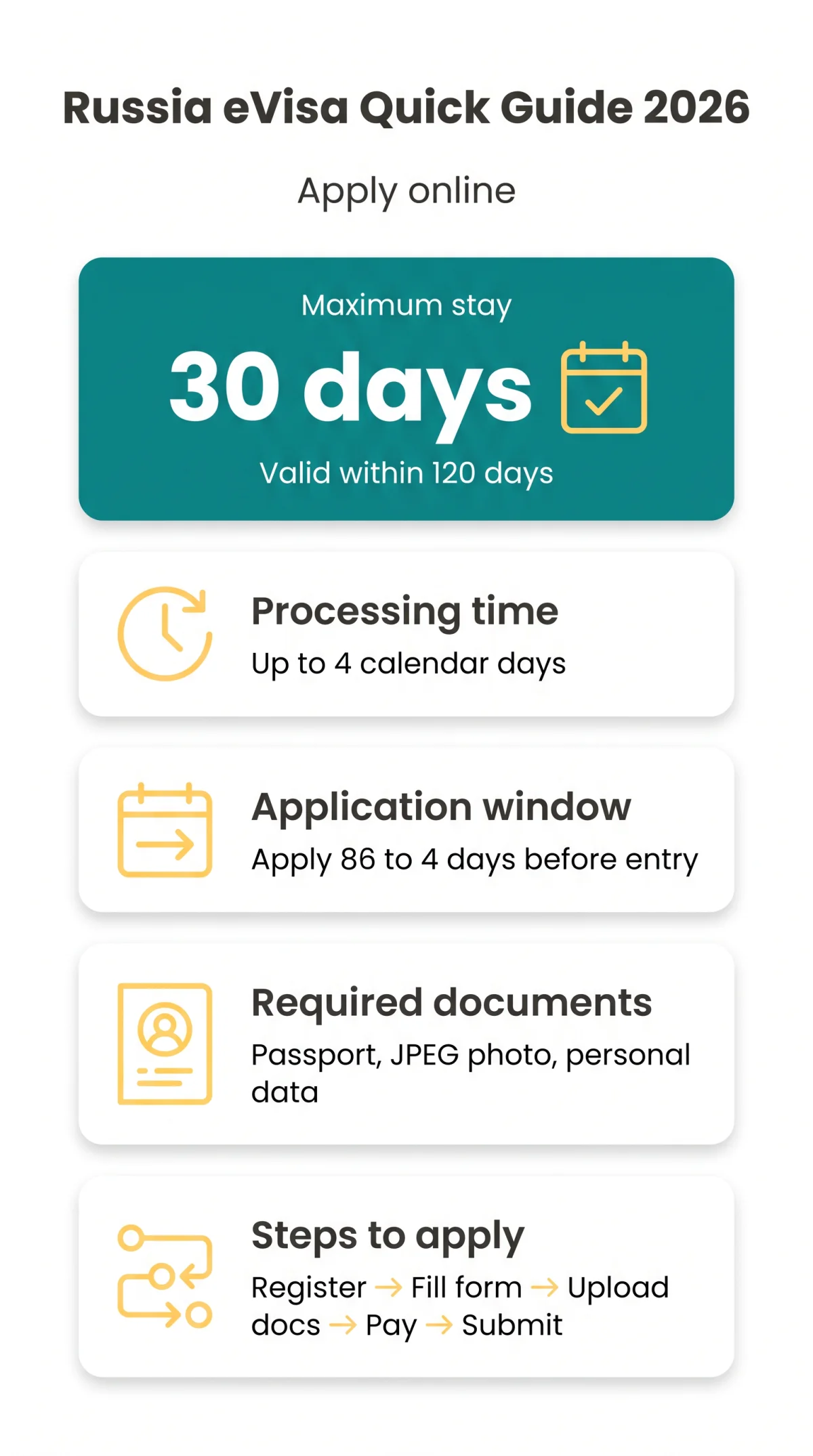
The Russia eVisa application can be submitted no earlier than 86 days and no later than 4 days before the expected date of entry. Processing takes up to 4 calendar days, including weekends and bank holidays.
Preparation Checklist: Documents, Photo & Technical Setup
Before starting your evisa russia application, gather a machine-readable passport valid for at least 6 months from the submission date, a JPEG digital photo no older than 6 months, and personal data covering employment, education, and travel history. The Russia eVisa application portal is at.
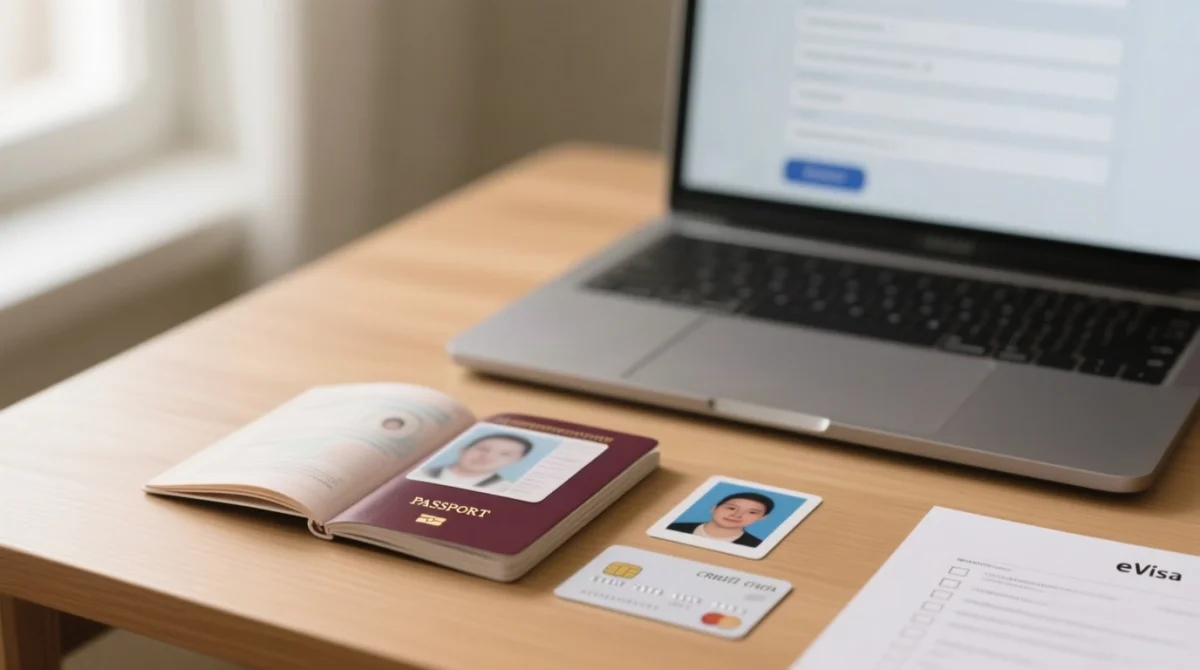
- Passport: machine-readable, at least one blank page, full date of birth mandatory
- JPEG colour scan of passport biographical page
- JPEG facial photo per specification below
- Employment, education, travel history; list of Russian relatives if any
- Email address (non-Gmail recommended; the MFA portal warns of unstable Gmail delivery)
- Visa, MasterCard, or JCB card for fee payment
- Browser: Microsoft Edge recommended, JavaScript enabled; Adobe Acrobat Reader for PDF
Photo Requirements: Full Specification
Your Russia eVisa facial photo must be JPEG, no older than 6 months, and reflect your current appearance. Requirements: full-face view, neutral expression with mouth closed, eyes open and clearly visible, uniform lighting, head not tilted, looking directly at the camera. The applicant must be alone with no foreign objects visible in the background.
Upload Requirements: File Sizes & Formats
Both the passport scan and facial photo must be in JPEG format. The portal does not publish a maximum file size; keep each file under 5 MB to avoid upload errors. Use a clear colour scan of the biographical page.
Step-by-Step Application Walkthrough: Form, Uploads & Payment
Create an Account & Log In
Register a personal account on the MFA portal (available 24/7) or use the MFA mobile application.
Fill in the Application Form
Personal data, passport information, travel details, employment and education history.
Upload Documents
JPEG scan of passport biographical page and JPEG facial photo.
Pay the Fee
Non-refundable consular fee via Visa, MasterCard, or JCB.
Submit & Receive Confirmation
Review and submit to receive a reference number; processed within 4 calendar days.
Step 1 – Create an Account & Log In
Register a personal account on the MFA portal at (available 24/7) or use the MFA mobile application. Microsoft Edge is the recommended browser with JavaScript enabled.
Step 2 – Fill in the Application Form
The Russia eVisa application form requires: personal data (full name, date of birth in DD/MM/YYYY format, gender, nationality), passport information (number, issue/expiry dates, issuing authority), travel details (planned entry date, checkpoint, accommodation address), employment history, education history, previous Russia visits, and close relatives in Russia. Invitation details are not required for the eVisa, so mark them as N/A. Consent to automated data processing is mandatory.
Step 3 – Upload Documents
Upload a clear colour JPEG scan of your passport biographical page and a JPEG facial photo meeting portal specifications.
Step 4 – Pay the Fee
Pay the non-refundable consular fee via Visa, MasterCard, or JCB. Payment is processed in RUB; non-Russian cards may incur FX conversion fees from the card issuer. Children under 6 are exempt.
Step 5 – Submit & Receive Confirmation
Review and submit to receive an application reference number. The Russia eVisa application is processed within 4 calendar days, after which the grant notification appears on the portal and via email.
Processing, Tracking & Error Correction
The Russia eVisa application is processed by Russian consular authorities within 4 calendar days of submission, including weekends and bank holidays. The processing fee is non-refundable regardless of the outcome.
Application ID Format & Status-Tracking URL
Each application receives a unique reference number. Status (Submitted, In Processing, Returned, Approved, Refused) can be checked 24/7 on the MFA portal at. Because the portal does not publicly document session timeout duration, complete the form in a single sitting to avoid losing progress.
What Happens If Your Application Has Errors
If the Russia eVisa application contains errors or missing data, it is returned to the applicant within 2 calendar days with highlighted correction fields and comments. After you amend and resubmit, the processing clock restarts entirely: a new 4-day window begins from the resubmission date.
Gmail Delivery Warning & Email Best Practices
The MFA portal explicitly warns that Gmail causes delayed or missed grant notifications. Use an alternative email provider such as Outlook or ProtonMail, and check the portal directly rather than relying solely on email delivery.
After Approval: Downloading, Border Entry & Stay Rules
Download the eVisa as a PDF from the portal or via the grant notification email. Print a copy or save it on your mobile device. You must present it to the transport company at check-in and to the Border Service officer at the checkpoint.
How Your 30 Days Are Actually Counted
The 30-day stay counts both arrival and departure days as full days, not 720 net hours. The Russia eVisa is single-entry only; once you exit Russia, re-entry is not permitted. It cannot be extended except in cases of force majeure.
Approved Border Crossing Points
The Russia eVisa permits entry only through 29 designated checkpoints: 14 airports (Sheremetyevo, Domodedovo, Vnukovo, Pulkovo, Kazan, Koltsovo, Tolmachevo, Pashkovsky, Krasnoyarsk, Platov, Kurumoch, Volgograd, Belgorod, Strigino), 2 rail (Pogranichny, Khasan), 4 maritime (St Petersburg Marine, Passenger Port St Petersburg, Vladivostok, Zarubino), 8 road (Bagrationovsk, Gusev, Mamonovo Grzechotki, Mamonovo Gronovo, Morskoe, Sovetsk, Ivangorod, Ubylinka), and 1 pedestrian (Ivangorod). Entry via any non-approved checkpoint results in denial.
What to Bring to the Airport
Carry a printed copy of the eVisa PDF or a saved version on your mobile device, along with the passport used in your application. Present both documents at airline check-in and at border control.
After You Land: Migration Registration, Insurance & Restricted Zones
The Russia eVisa does not exempt holders from migration registration, mandatory insurance, or territorial restrictions under Russian federal law.
Migration Registration (Registratsiya): Step-by-Step
Visitors must be registered with migration authorities within 7 business days of arrival. Hotels handle this automatically; private hosts use a post office. The detachable registration slip must be carried at all times.
Medical Insurance Requirements
Medical insurance valid in Russia for the full duration of stay is mandatory. Some nationalities are exempt on the basis of reciprocity. Carry proof of insurance, printed or digital, as it may be checked at the border or by authorities during your stay.
Where You Cannot Go: Restricted Zones
The Russia eVisa application provides freedom of movement across most of Russia, but closed cities (ZATO), military zones, and certain border areas require separate federal permits. Examples include Seversk and Zheleznogorsk.
Name Spelling & Transliteration: Avoiding Boarding Problems
Russian transliteration rules may render your name differently from your airline ticket. Ensure the name in your evisa russia application exactly matches the passport biographical page in Latin characters. If your ticket uses a different transliteration, carry your passport as the authoritative document at check-in and border control.
Frequently Asked Questions (FAQ)
Who is eligible to apply for a Russia eVisa in 2026?
Citizens of 64 eligible foreign States can apply. UK passport holders are NOT eligible and must obtain a regular visa. Dual nationals may qualify via an eligible passport, such as an EU passport.
What documents do I need for an evisa russia application?
A machine-readable passport valid for at least 6 months with a blank page, a JPEG digital facial photo no older than 6 months, and personal data including employment, education, and travel history.
How long does Russia eVisa processing take?
Processing takes up to 4 calendar days, including weekends and bank holidays. Submit no earlier than 86 days and no later than 4 days before entry. The fee is non-refundable.
How do I track my Russia eVisa application status?
Check status 24/7 on the MFA portal at using your reference number. Labels: Submitted, In Processing, Returned, Approved, or Refused. Errors return within 2 days.
What are the most common mistakes to avoid?
Avoid Gmail due to delayed notifications. Other mistakes include incorrect photo specs, name transliteration mismatches, and missing mandatory fields like employment history.
How do I download my approved Russia eVisa?
Download the eVisa PDF from the portal or email. Print a copy or save it on your mobile device. Present this notification to the transport company and Border Service officer.
How long is a Russia eVisa valid and what is the maximum stay?
Valid for 120 days from issue. Maximum stay is 30 days from entry, counting arrival and departure as full days. It is a single-entry visa.
Can I extend my Russia eVisa?
No, except in force majeure cases. Extension is processed by the Ministry of Internal Affairs as an ordinary visa. Apply for a new eVisa for future visits.
Do I need travel insurance for a Russia eVisa?
Yes, medical insurance valid in Russia for the full duration of stay is mandatory. Some nationalities are exempt on reciprocity. Carry proof of insurance.
What are the approved border crossing points for the Russia eVisa?
There are 29 designated checkpoints: 14 airports, 2 rail, 4 maritime, 8 land road, and 1 pedestrian crossing. Entry via non-approved checkpoints results in denied entry.
Can children get a Russia eVisa and is there a fee exemption?
Yes, a separate application and eVisa are required for each child. Children under 6 are exempt from the consular fee. Each child needs their own passport scan and photo.
What happens if my Russia eVisa application is refused?
Refusal grounds are established by Russian legislation. The fee is non-refundable. You may re-apply correcting issues, or apply for a regular visa through an embassy.
Disclaimer: This is an unofficial guide for informational purposes only. Always verify the latest requirements on the official MFA portal before applying. We are not affiliated with any government entity.